
Generate Blog Posts with Images: Your AI Writing and Visual Studio
Streamline your content creation process by combining AI-powered writing with custom image generation. Textalky makes it easy to produce complete blog posts, from text to visuals, in one integrated studio.
6 min read · August 31, 2026
Generate Blog Posts with Images: Your AI Writing and Visual Studio
Producing consistent, engaging blog content is a constant challenge. You need well-researched, captivating text, but equally important are relevant, high-quality images that grab attention and break up the content. The reality for many creators is that this dual demand means juggling multiple tools, each with its own subscription and learning curve. You might use one platform for writing, another for stock photos, and perhaps a third for graphic design. This fragmented approach eats up valuable time, fosters creative blocks, and can lead to a disjointed visual style that detracts from your message. Imagine the frustration of finishing a great article only to spend hours searching for the perfect image, or worse, settling for something that doesn't quite fit.
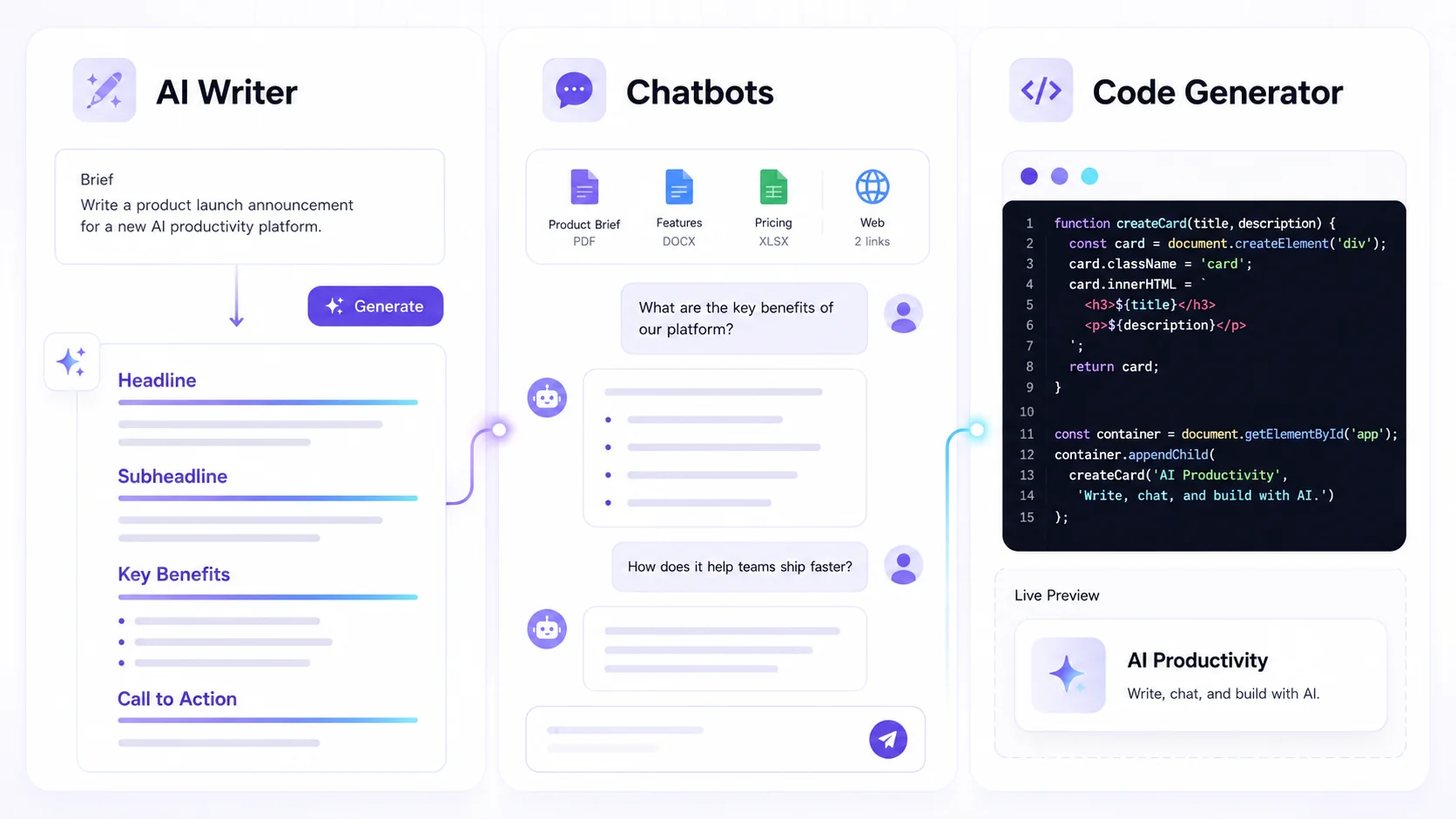
Textalky offers a different path. It's an all-in-one AI creative studio designed to streamline your entire content production workflow. Instead of stitching together separate subscriptions for writing and visual creation, Textalky brings everything under one roof. This means you can generate compelling blog post drafts and complementary visuals with AI, all within a single, intuitive interface. At its core, Textalky provides powerful AI writing tools to help you craft your narrative and an AI image generator to bring your ideas to life visually.
Crafting Your Blog Post with AI Writing Tools
Getting your blog post started is often the hardest part. Textalky’s suite of AI writing tools can help you overcome writer's block and generate high-quality drafts quickly. You can begin with the core AI Writer, which allows you to input prompts and receive text output. For more structured content, the Article Wizard guides you through generating entire blog posts, from outlines to full drafts, based on your topic and keywords. If you already have a piece of content that needs refinement, the ReWriter can help you rephrase, expand, or summarize existing text.
To get the best results from these tools, think about prompt engineering. Be specific about your target audience, the tone you want to achieve, and any key points you need to cover. For instance, instead of asking for "a blog post about productivity," try "Write a blog post for busy freelancers on three actionable productivity hacks they can implement immediately, using a friendly and encouraging tone." Textalky also supports custom templates, allowing you to save your preferred prompt structures and settings for recurring content types, ensuring consistency and saving you time. For more insights into effective AI writing, explore this guide on using an AI writing assistant to conquer creative hurdles.
Generating Stunning Visuals with AI Image
Once you have your text drafted, it’s time to create visuals that enhance your message. Textalky's AI Image tool allows you to generate unique images based on text descriptions. This means you can move beyond generic stock photos and create visuals that are perfectly tailored to your blog post's content and style.
When crafting prompts for the AI image generator, think descriptively. Consider the mood, style, and specific elements you want to include. For example, if your blog post discusses remote work, you might prompt: "A cozy home office setup with a laptop, a steaming mug of coffee, and a window overlooking a peaceful garden, digital art style." Experiment with different artistic styles, camera angles, and keywords to achieve the desired aesthetic. This tool is invaluable for maintaining a cohesive visual identity across your blog. For a deeper dive into crafting effective prompts, check out this AI Image Generator guide.
The Workflow: Text to Image in One Studio
The real power of Textalky lies in how these tools work together. Imagine you're writing a section about the benefits of mindful breathing for stress reduction. You might use the AI Writer to draft a paragraph explaining the physiological effects. As you finish that paragraph, you can immediately switch to the AI Image tool. Your prompt might be: "A serene illustration of a person meditating peacefully, with calming blue and green hues, symbolizing stress relief."
Within moments, you have a relevant, custom-generated image that perfectly complements your text. You can then refine the image prompt if needed, or accept the generated result and place it directly into your blog post. This immediate synergy between text generation and visual creation eliminates the need to switch between multiple applications, saving significant time and reducing the friction in your creative process. You can write a sentence, generate an image for it, and move on to the next point, all without leaving the Textalky studio.
Beyond the Basics: Enhancing Your Blog Content
Textalky’s capabilities extend far beyond just text and static images. For bloggers looking to diversify their content formats, the platform offers additional tools to amplify your reach. You can transform your written posts into audio content using the AI Voiceover feature, creating podcast-style versions or audio summaries that cater to a different audience preference.
For those with a YouTube presence or looking to expand there, Textalky’s AI YouTube tools can help generate video content, scripts, and thumbnails, turning your blog topics into engaging video formats. Furthermore, the WP Integration allows you to publish your AI-generated content directly to your WordPress site with ease, streamlining the final step of content distribution. These integrated features mean you can manage multiple content channels and formats from a single platform, maximizing your output and impact.
Pricing and Plans for Every Creator
Textalky offers a tiered pricing structure designed to accommodate creators at every stage, from individuals just starting out to larger teams. The AI Free plan provides a great way to experiment with the platform’s capabilities, offering a set number of words, characters, and visual credits each month without any cost.
As your content demands grow, the paid plans - AI Basic, AI Explorer, AI Plus, and AI Pro - offer progressively higher quotas for writing, voiceover, transcription, and visual generation, along with access to more advanced features. The benefit of an all-in-one subscription is clear: instead of paying for separate writing, image, and potentially video tools, you get a comprehensive suite of AI creative capabilities for a single, predictable cost. This consolidated approach not only simplifies budgeting but also eliminates the need to manage multiple subscriptions and payments.
Frequently asked questions
How does Textalky combine AI writing and image generation?
Textalky integrates AI writing tools, such as the AI Writer and Article Wizard, with an AI Image generation tool within a single platform. This allows users to generate text for their blog posts and then, using descriptive prompts, create complementary visuals without switching between different applications or subscriptions.
Can I use my own images with Textalky's AI writer?
While Textalky’s AI writer is designed to generate text, you can certainly incorporate your own images into the blog posts you create. The AI Image tool is for generating new visuals, but the output from Textalky can be edited and combined with your existing assets in your preferred content management system or editing software.
What kind of images can the AI generate for my blog posts?
Textalky's AI Image tool can generate a wide variety of images based on your text prompts. This includes illustrations, photorealistic scenes, abstract art, and more. You can specify artistic styles, moods, objects, and settings to create visuals that precisely match the tone and subject matter of your blog content, moving beyond generic stock photography.
Creating compelling blog content with high-quality text and visuals is more accessible than ever. The challenge of juggling multiple tools and facing creative blocks is a familiar one for bloggers and content creators. Textalky addresses this directly by providing an integrated AI studio where you can generate both your written drafts and your accompanying images within one seamless workflow.
If you're looking for a way to streamline your content creation process, reduce your reliance on multiple subscriptions, and unlock new creative possibilities, Textalky is certainly worth exploring. Compare its all-in-one approach to your current tools and see how much time and effort you can save.
Ready to transform your blog content creation? Sign up for Textalky today and start generating your next blog post with integrated AI writing and visuals.
Ready to try it yourself?
Create a free Textalky account - no credit card required - and put this into practice.
Start creating for free