Generate YouTube Descriptions with AI: Your Ultimate Guide
Stop staring at a blank page. Discover how an AI content generator can transform your YouTube description writing process, saving you time and improving your video's reach.
9 min read · August 31, 2026
Generate YouTube Descriptions with AI: Your Ultimate Guide
Your YouTube video might have the most engaging content, the slickest editing, and the most compelling thumbnail, but without a well-crafted description, it’s likely to get lost in the digital noise. YouTube descriptions are more than just a place to dump keywords; they are a critical component of your video’s discoverability, viewer engagement, and overall success. Yet, for many creators, writing these descriptions is a tedious, often frustrating, task.
Why YouTube Descriptions Matter (More Than You Think)
Many creators underestimate the power of a YouTube description. This often-overlooked element plays a surprisingly significant role in how your videos perform.
Firstly, descriptions are a goldmine for Search Engine Optimization (SEO). YouTube’s algorithm, like Google’s, relies on text to understand what your video is about. Including relevant keywords in your description helps YouTube categorize your content accurately and recommend it to the right audience. A well-optimized description can push your video higher in search results and suggested videos feeds, increasing its visibility.
Beyond SEO, descriptions directly impact viewer engagement. The first few lines of your description appear directly below your video player, serving as a preview. This snippet has a crucial job: enticing viewers to click "Show more" and read the full text. Compelling descriptions can answer viewer questions, provide context, and encourage them to watch longer. This, in turn, can positively influence watch time, another key metric for YouTube’s algorithm.
Finally, descriptions are a powerful tool for driving traffic to other destinations. Whether you want viewers to visit your website, subscribe to your newsletter, follow you on social media, or check out a related product, your description is the place to include those calls to action.
The Challenge of Writing Effective YouTube Descriptions
Despite their importance, crafting effective YouTube descriptions presents several hurdles for creators.
The sheer time commitment can be daunting. After spending hours filming, editing, and optimizing other aspects of your video, the thought of dedicating more time to writing can feel like a chore. This often leads to descriptions being an afterthought, written quickly and without much strategic thought.
Keyword research and integration add another layer of complexity. Identifying the terms your target audience is actually searching for requires effort. Once identified, weaving these keywords naturally into a coherent and engaging description without sounding robotic is an art form that many struggle to master.
Developing compelling calls to action (CTAs) that actually drive behavior is also a challenge. Simply saying "check out my website" is often not enough. A strong CTA needs to be clear, benefit-driven, and strategically placed.
This often results in repetitive or bland content. Many creators fall into a pattern of using the same generic phrases or structures for every video, missing opportunities to connect with their audience and improve their search ranking. The dreaded writer's block can also strike, leaving creators staring at a blank page with no idea where to start.
How an AI Content Generator Solves Your Description Woes
This is where an AI content generator can become an invaluable ally for YouTube creators. Instead of wrestling with writer's block or spending hours crafting generic copy, AI can streamline the entire process, transforming it from a chore into an efficient workflow.
AI excels at idea generation. Stuck on how to start? An AI can brainstorm angles, suggest keywords, and even propose different tones or styles for your description based on your video content.
Keyword integration becomes far simpler. You can provide your target keywords to the AI, and it can intelligently weave them into the text, ensuring they are used naturally and effectively. This helps improve your video's searchability without sacrificing readability.
AI can also help you summarize your video content accurately and concisely. By providing the AI with a transcript or key points, it can generate a brief, informative summary that hooks viewers and encourages them to watch.
Furthermore, AI can help craft effective calls to action. You can prompt the AI to create CTAs that are persuasive, clear, and tailored to your specific goals, whether it’s driving traffic, encouraging subscriptions, or promoting a product. Many AI tools also offer a general AI writing assistant capability that can help overcome writer's block for any content need.
By leveraging an AI Writer, you can quickly generate multiple versions of your description, experiment with different approaches, and ensure your content is always fresh, engaging, and optimized for discovery.
Choosing the Right AI Tool for YouTube Descriptions
When looking for an AI content generator to help with your YouTube descriptions, several key features should be on your radar.
Versatility is paramount. While you’re focused on descriptions, your needs as a creator likely extend beyond that. A tool that can also help with video scripts, social media posts, or even thumbnail ideas will be far more valuable than a single-purpose AI. Look for a platform that offers a wide range of AI tools designed for various content creation tasks.
Ease of use is another critical factor. You don't want to spend more time learning how to operate the AI than you would have spent writing the description manually. An intuitive interface, clear prompts, and straightforward output are essential for a smooth workflow.
Integration capabilities can significantly boost your efficiency. For example, an AI tool that can publish directly to WordPress or generate content based on RSS feeds can save you valuable time. While specific integrations vary, understanding what a tool can connect with is important.
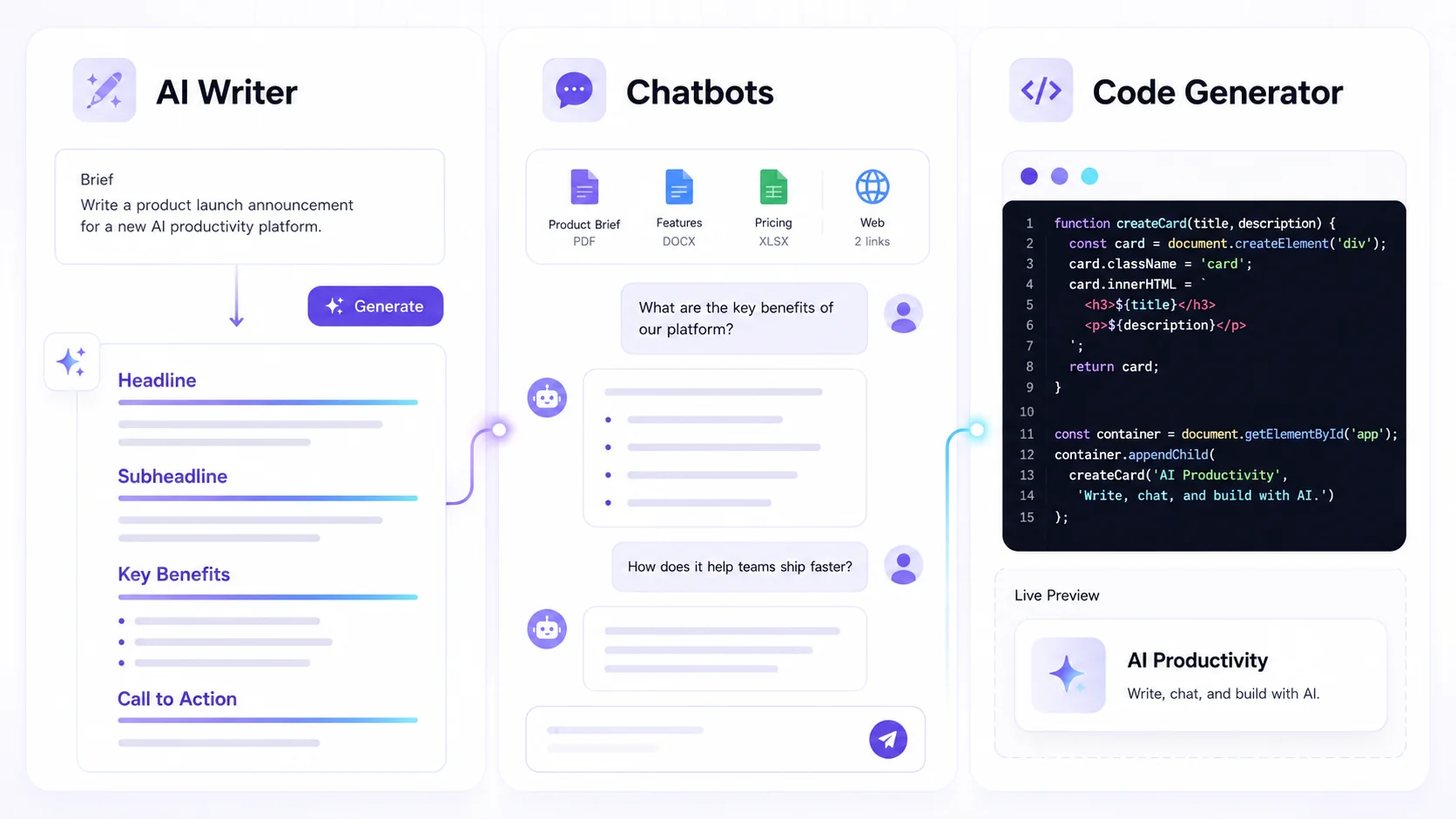
This is where Textalky shines. It’s designed as an all-in-one AI creative studio, meaning you get a comprehensive suite of AI tools under a single subscription. Instead of juggling multiple specialized apps, you can access AI writing, voiceovers, image generation, video editing, and more, all within one interface. This consolidation simplifies your workflow and often proves more cost-effective than subscribing to several individual services.
Crafting Your First AI-Generated YouTube Description
Getting started with an AI for your YouTube descriptions is a straightforward process. Here’s a step-by-step workflow to guide you:
- Input Your Video Details: The more context you give the AI, the better the output will be. Start by providing the AI with your video’s title, a brief summary of its content, and any specific keywords you want to target. If you have a video transcript, providing that is even better, as it gives the AI the most direct information.
- Refine Your Prompts: Don't be afraid to experiment with your prompts. Instead of a generic request, try being specific. For example, "Write a YouTube description for a video about 'how to bake sourdough bread.' Include keywords like 'sourdough starter,' 'beginner baking,' and 'artisan bread.' Make sure to include a call to action to subscribe and a link to my recipe blog."
- Leverage AI Writing Tools for Different Elements: Break down the description into its core components and use the AI to generate each part.
- Main Description Body: Ask the AI to write an engaging overview of your video, incorporating your keywords naturally.
- Call to Action (CTA): Prompt the AI to create specific CTAs, such as encouraging viewers to like, comment, subscribe, or visit a link.
- Timestamps: If your video is long, ask the AI to suggest logical timestamps based on your transcript or outline.
- Relevant Links: You can ask the AI to remind you to include links to your website, social media, or related videos.
- Edit and Personalize the Output: AI-generated content is a fantastic starting point, but it's rarely perfect out of the box. Always review the AI's output. Edit it to ensure it perfectly matches your brand voice, adds any personal anecdotes or specific details the AI might have missed, and feels authentic to you. Check for flow, grammar, and factual accuracy.
Advanced AI Strategies for YouTube Description Optimization
Once you've mastered the basics, you can explore more advanced ways to use AI to optimize your YouTube descriptions.
Generating Multiple Variations: Don't settle for the first description the AI creates. Ask it to generate several different versions with varying tones, lengths, or calls to action. This allows for A/B testing, where you can see which description performs best over time.
Incorporating Timestamps: For longer videos, timestamps are crucial for viewer experience and SEO. You can use AI to analyze your transcript and suggest logical chapter breaks and corresponding timestamps, making your video more navigable and scannable. YouTube’s AI YouTube tools can help with this, and Textalky’s integrated suite offers similar capabilities.
Multilingual Descriptions: If you have a global audience, AI can be a powerful tool for translating your descriptions into multiple languages. This significantly expands your reach and makes your content accessible to a wider range of viewers. Some AI tools can even adapt the tone and cultural nuances for different regions.
Using AI for Keyword Research: While not directly writing the description, some AI tools can assist with identifying trending keywords and topics within your niche, which you can then feed into your description generation prompts. Exploring resources like a guide to AI YouTube Tools can offer further insights.
Beyond Descriptions: Enhancing Your YouTube Workflow with AI
The power of AI for creators extends far beyond just writing descriptions. An all-in-one AI studio like Textalky can help you streamline many other aspects of your YouTube workflow.
Imagine using AI to generate video scripts from a simple outline, or even to help brainstorm topic ideas. You could use AI to create compelling thumbnails, generate AI voiceovers for introductions or segments, or even to edit short video clips. Textalky offers a broad spectrum of AI capabilities, from AI writing and visual creation to voice and sound tools, all designed to work together.
Making the Switch: Textalky as Your All-in-One Studio
For YouTube creators and channel managers, the prospect of managing multiple AI subscriptions for different tasks can be overwhelming and costly. This is where Textalky offers a compelling alternative. As an all-in-one AI studio, Textalky consolidates all the AI tools you need - writing, voice, visuals, and more - into a single, user-friendly platform. This not only simplifies your workflow but also provides significant value by replacing the need for several separate subscriptions.
You can explore the various Textalky plans to find one that fits your needs, from the free tier for testing the waters to advanced plans with extensive features. Currently, there’s a special 1-year AI Explorer offer for just $49, providing excellent value for creators looking to expand their toolkit.
Considering the time saved, the improved quality of content, and the breadth of features available, Textalky presents a strong case for being your go-to AI creative partner.
Frequently asked questions
How can AI help me write better YouTube descriptions?
AI can help you overcome writer's block, generate keyword-rich content naturally, craft compelling calls to action, summarize your video content effectively, and create multiple description variations for testing. It speeds up the process, allowing you to focus on creating better video content.
What information do I need to provide to an AI for YouTube descriptions?
The more context you provide, the better the AI's output will be. Essential information includes your video's title, a summary of its content, target keywords, and any specific calls to action or links you want to include. Providing a video transcript is highly beneficial.
Can AI generate YouTube descriptions in multiple languages?
Yes, many AI content generators can translate and adapt descriptions into multiple languages. This is a powerful feature for reaching a global audience and increasing your video's discoverability internationally.
Is AI-generated content for YouTube descriptions unique and SEO-friendly?
When used correctly and edited thoughtfully, AI-generated content can be both unique and SEO-friendly. The AI can incorporate relevant keywords naturally, and by providing specific prompts and editing the output, you ensure the content is original and tailored to your channel. Always review and personalize the AI's suggestions to maintain authenticity.
Ready to transform your YouTube workflow? Streamline your content creation and boost your video’s discoverability with Textalky. Sign up today and experience the power of an all-in-one AI creative studio.
Ready to try it yourself?
Create a free Textalky account - no credit card required - and put this into practice.
Start creating for free