How to Write a Blog Post With AI: A Step-by-Step Guide
Struggling to keep your blog updated? Discover how to leverage AI to write compelling blog posts efficiently, from brainstorming to final polish.
8 min read · September 4, 2026

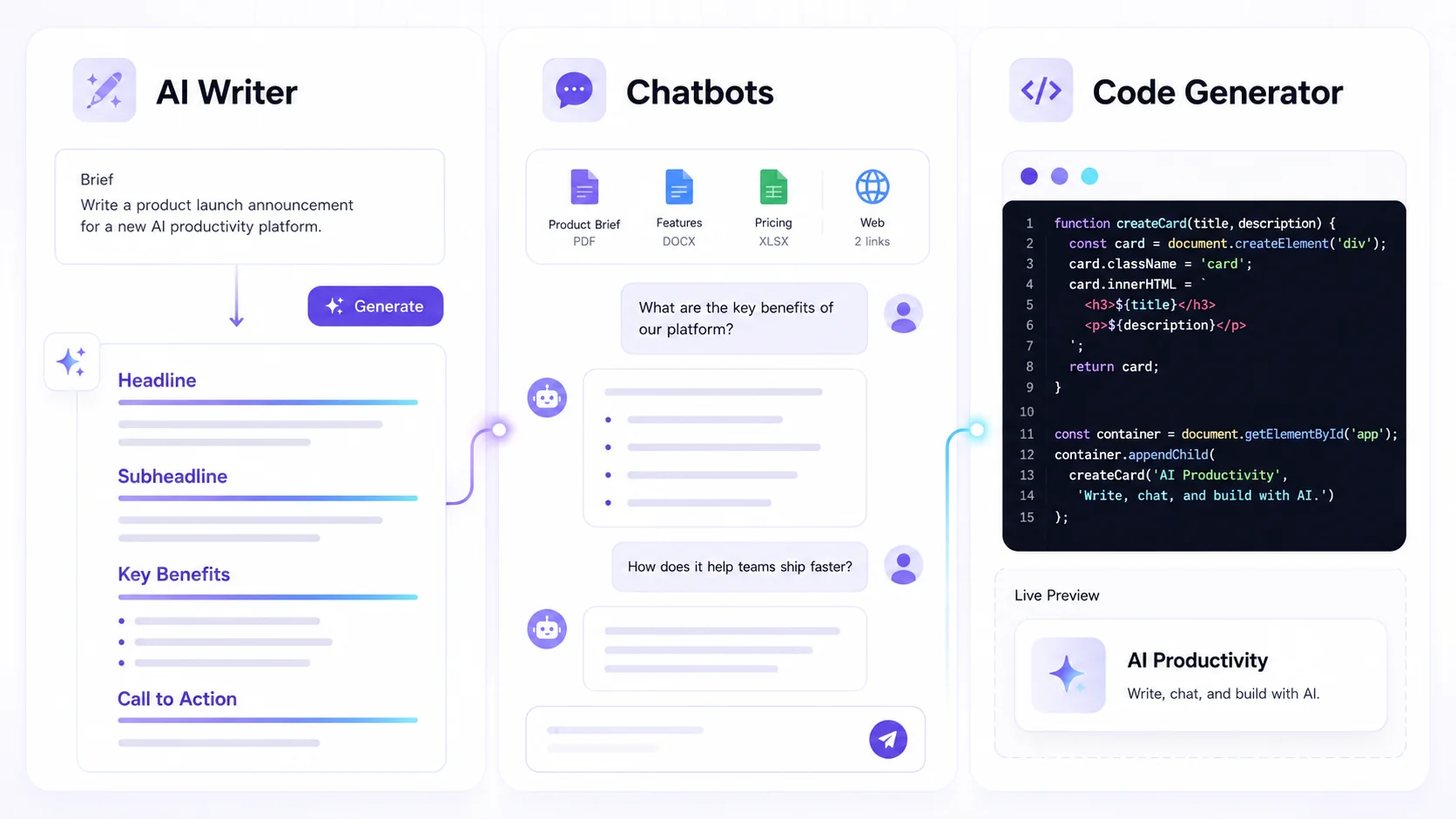
Consistently producing high-quality blog content is a significant challenge. Writer's block strikes, research takes hours, and then there's the editing, finding images, and optimizing for search engines. If you're juggling multiple AI tools for different tasks, the complexity and cost can quickly become overwhelming. Imagine streamlining that entire process, from idea generation to publishing, within a single, intuitive platform. This guide will show you exactly how to write a blog post with AI, focusing on an integrated approach that saves time, sparks creativity, and elevates your content.
Understanding the AI Writing Process
Before diving in, it's crucial to understand what AI writing tools offer. Think of them as highly capable assistants, not replacements for your unique voice and strategic thinking. AI can accelerate research, generate drafts, and overcome initial hurdles, but your input is essential for shaping the final output. It excels at tasks like expanding on concepts, rephrasing sentences, and ensuring grammatical correctness. However, it cannot replicate your personal experiences, nuanced opinions, or deep understanding of your specific audience. The goal is to collaborate with AI, leveraging its speed and data processing power to enhance your own creativity and efficiency.
Brainstorming Blog Post Ideas with AI
The blank page is often the biggest obstacle. AI can be a powerful brainstorming partner, helping you unearth relevant topics and angles. Start with a broad theme or a few keywords related to your niche. For instance, if you run a small bakery, you might input "sourdough baking tips" or "best frosting recipes."
An AI tool can then generate a list of potential blog post titles and subtopics. Look for ideas that resonate with your target audience and align with your business goals. Don't just accept the first suggestions. Refine them by asking the AI to elaborate on specific points, suggest different angles, or focus on particular pain points your audience experiences. For example, you could ask for "blog post ideas about sourdough starters for beginners" or "unique frosting techniques for celebration cakes."
You might discover angles you hadn't considered, like "The Environmental Impact of Sourdough Baking" or "Frosting Alternatives for Dairy Allergies." This iterative process, guided by your understanding of your audience, helps pinpoint topics that are both engaging and SEO-friendly. If you're struggling to find that perfect topic, exploring an AI writing assistant to beat writer's block can offer further inspiration and techniques.
Crafting Your First Draft with an AI Writer
Once you have a solid topic, it's time to generate a first draft. This is where an AI Writer truly shines. The key to getting useful output lies in effective prompt engineering. A good prompt provides context, specifies the desired output format, tone, and key points to cover.
Start with a clear instruction. For example: "Write a blog post introduction about the benefits of sourdough baking for gut health. The tone should be informative and encouraging. Mention that it's easier than people think."
The AI will then produce an initial piece of content. It might be a complete draft or just a section. If it's a section, you can prompt it to continue or generate other parts of the post. For instance, you could follow up with: "Now, write a body paragraph explaining the fermentation process in sourdough and how it benefits gut bacteria. Keep it simple for a general audience."
Experiment with different prompts to guide the AI. You can ask it to adopt a specific persona, target a particular reading level, or emphasize certain benefits. For example: "Write a section on troubleshooting common sourdough starter problems, using a friendly and patient tone, as if explaining to a complete novice."
Remember that the first draft is a starting point. It might contain inaccuracies, repetitive phrases, or areas that lack depth. Your role is to review, refine, and inject your unique insights.
Structuring and Expanding Your Content
A well-structured blog post is crucial for reader engagement and SEO. AI can assist in outlining your content and expanding on generated ideas to create a logical flow.
After generating an initial draft or even just a topic, you can ask the AI to create an outline. A prompt like: "Create a detailed outline for a blog post titled '5 Creative Ways to Use Leftover Sourdough Bread.' Include an introduction, sections for each of the 5 ideas, and a conclusion."
The AI will provide a structured framework, often with suggested subheadings and bullet points for each section. This outline serves as a roadmap for your content. You can then use the AI writer to flesh out each section. For example, for one of the outline points, you might prompt: "Expand on the idea 'Sourdough Croutons for Salads.' Describe how to make them, suggest flavor variations, and mention why they are better than regular croutons."
The AI can help you generate introductory hooks, develop supporting arguments for body paragraphs, and craft compelling conclusions. This iterative process of outlining, generating, and refining helps build a comprehensive and coherent blog post efficiently.
Editing and Refining AI-Generated Text
While AI can generate text quickly, human editing is indispensable. AI-generated content needs a careful review for accuracy, tone consistency, originality, and overall readability.
First, read through the entire draft to ensure it flows well and makes sense. Check for factual accuracy, especially if the AI has presented any statistics or technical information. Your expertise is vital here to catch any subtle errors or misleading statements.
Next, focus on tone and voice. Does it sound like your brand? Is it engaging for your target audience? You may need to rephrase sentences to inject more personality or adjust the complexity of the language.
AI editing tools can be incredibly helpful in this stage. Tools like the AI ReWriter can help you rephrase sentences or paragraphs that sound awkward, repetitive, or generic. You can ask it to "make this paragraph more concise" or "rephrase this sentence to sound more authoritative."
Grammar and spell-checking are also areas where AI excels, catching errors that human eyes might miss. Beyond basic corrections, AI can suggest stylistic improvements, identify clichés, and help ensure consistent terminology throughout the post. Remember, AI is a tool to enhance your editing, not replace it. The final polish, ensuring the content truly reflects your message and brand, remains a human task.
Adding Visuals to Your AI-Written Blog Post
Blog posts with compelling visuals are more engaging and easier to read. AI can help you create these visuals without needing to be a graphic designer.
If you need an image to illustrate a concept, like the fermentation process in sourdough, you can use an AI Image generator. Provide a detailed prompt describing what you envision. For example: "Generate an image of a bubbly sourdough starter in a clear glass jar, with warm, natural light. The background should be a rustic wooden kitchen counter."
The AI will generate several image options based on your prompt. You can then select the best one, or refine your prompt to get closer to your desired outcome. This allows you to create unique, relevant images that perfectly match your content, rather than relying on generic stock photos.
For those looking to create a variety of visual content, exploring guides on using an AI image generator can provide deeper insights and creative ideas. This capability transforms how you can enhance your blog posts, making them more visually appealing and shareable.
Optimizing and Publishing Your Blog Post
Before hitting publish, a quick review for SEO is beneficial. While AI can't replace a dedicated SEO expert, it can assist with keyword integration and readability. You can ask an AI writing assistant to suggest relevant keywords based on your topic or to check if your primary keyword appears naturally throughout the text.
Publishing is the final step. Many bloggers use platforms like WordPress. If you're using WordPress, you might benefit from a WordPress integration, which can streamline the process of getting your content from your AI studio directly onto your blog.
This entire workflow - from brainstorming and drafting to editing and adding visuals - can be managed more efficiently when these tools are part of an all-in-one AI studio. Instead of subscribing to and learning multiple platforms, a single subscription can house all these creative capabilities. This integrated approach not only saves money but also drastically reduces the time spent switching between applications, allowing you to focus on creating great content.
Frequently asked questions
Can AI truly write a blog post from scratch?
AI can generate text that forms the basis of a blog post from scratch, covering topics, structuring arguments, and writing paragraphs. However, it requires human guidance for topic selection, prompt engineering, and significant editing to ensure accuracy, originality, and a unique voice. Think of AI as a powerful co-writer, not an autonomous author.
How do I ensure my AI-written blog post is original and not plagiarized?
While AI models are trained on vast datasets, they generate new text based on patterns, not by copying existing content directly. However, it's always good practice to run AI-generated text through a plagiarism checker, especially if you're concerned about unintentional similarities to existing material. Your human editing process is also key here, as you refine and add your unique perspective, further ensuring originality.
What are the best prompts to use for AI blog post generation?
The best prompts are specific, contextual, and clearly state your desired outcome. Include:
- The task: "Write a blog post introduction," "Generate an outline," "Expand on this paragraph."
- The topic: Be as precise as possible.
- The target audience: "for beginners," "for marketing professionals."
- The tone: "informative," "humorous," "professional," "casual."
- Key points to include: Specific facts, benefits, or arguments.
- Format requirements: "Use bullet points," "Include a call to action."
- Length guidelines: "Keep it to 150 words," "Write a detailed explanation."
For example: "Write a 200-word introduction for a blog post about the benefits of using Textalky's AI features for content creators. The tone should be enthusiastic and highlight efficiency gains. Mention features like AI writing and image generation."
Your Integrated AI Creative Studio Awaits
Streamlining your content creation process is no longer a distant dream. By leveraging an integrated AI studio, you can move past writer's block, accelerate drafting, enhance your content with unique visuals, and simplify publishing. Instead of paying for multiple specialized tools, a single subscription can provide everything you need.
If you're ready to transform how you create blog content, explore the current offers. The AI Lifetime Pro deal provides lifetime access to Textalky's complete suite of tools for a single, one-time payment of $79. This offer includes a generous monthly allowance for writing, voiceovers, transcription, and media credits, covering every tool in the studio. It’s a remarkable opportunity to equip yourself with a comprehensive AI creative studio that grows with your needs. Compare this to the stacked monthly costs of individual tools, and the value becomes clear. Visit the AI Lifetime Pro deal page to learn more about what's included and secure this limited-time offer.
Ready to try it yourself?
Create a free Textalky account - no credit card required - and put this into practice.
Start creating for free