Transform Your Audio: The Creator's Guide to AI Speech to Text
Accurately convert audio to text with AI speech to text tools. Save hours on transcription for captions, notes, and content repurposing.
8 min read · August 30, 2026
The tedious task of manually transcribing audio and video content can cripple your creative output. For YouTubers, podcasters, course creators, and social media managers, the hours spent typing out dialogue from recordings are hours not spent creating, editing, or engaging with your audience. This process is not just time consuming; it's prone to transcription errors that can lead to incorrect captions, misleading show notes, and a general slowdown in your entire content pipeline. Fortunately, there's a powerful solution.
Why AI Speech to Text is Essential for Creators
The core problem for many content creators is the sheer volume of audio and video they handle. Whether it's a lengthy interview, a multi-episode podcast series, or a suite of online course lectures, getting that spoken word into a text format for editing, subtitling, or repurposing is a significant bottleneck. Relying on human transcribers can be expensive and slow, while manual transcription is a drain on your most valuable resource: time.
This is where artificial intelligence steps in. AI speech to text technology, also known as automatic speech recognition (ASR), offers a dramatically more efficient way to convert audio into written words. Instead of spending hours painstakingly typing, you can upload your audio file and receive a near-instantaneous text transcription. This technology is not just about speed; it's about unlocking new levels of productivity and accessibility for your content. Modern AI transcription tools can handle a surprising amount of accuracy, making them a reliable partner in your content creation process. Features like AI Transcribe within integrated platforms are rapidly becoming indispensable for anyone serious about scaling their content production. The efficiency gains are substantial, allowing you to focus on the creative aspects of your work rather than the administrative burden of transcription.
Key Features of Modern AI Transcription Tools
When evaluating AI speech to text solutions, several key features stand out as crucial for content creators. The goal is to find a tool that not only converts audio to text but does so in a way that genuinely streamlines your workflow.
- Accuracy: This is paramount. While no AI is perfect, modern ASR systems achieve high levels of accuracy, often exceeding 90% for clear audio. Look for tools that continuously improve their models and offer options for post-editing to correct any mistakes. The quality of the original audio recording plays a significant role here, so clear audio with minimal background noise will always yield better results.
- Language Support: If you create content in multiple languages or cater to a diverse audience, robust language support is essential. The best tools offer a wide array of languages and accents, ensuring you can transcribe content accurately regardless of its origin.
- Speaker Identification: For content featuring multiple speakers, such as interviews or panel discussions, the ability to identify and label each speaker is invaluable. This feature, often called "diarization," makes the transcript much easier to read and follow, saving you the effort of manually assigning dialogue.
- Timestamping: Accurate timestamps linked to the spoken words are critical for editing and creating synchronized captions. This allows you to quickly jump to specific points in the audio or video timeline directly from the transcript.
- Export Options: Flexibility in how you can export your transcript is key. Common and useful formats include plain text (.txt), Word documents (.docx), SubRip (.srt) for video captions, and even formats for professional editing software. The ability to export with or without speaker labels and timestamps provides further control.
- Custom Vocabulary/Glossary: For niche industries or content that uses specific jargon, acronyms, or proper nouns, a custom vocabulary feature can significantly boost accuracy. This allows you to "teach" the AI the terms it needs to recognize correctly.
Streamlining Your Content Workflow with AI Transcription
The true power of AI speech to text lies in its ability to transform common content creator workflows, making them faster, more accessible, and more versatile.
- Generating Captions for Videos: For YouTubers and social media managers, accurate captions are no longer optional. They improve accessibility for deaf and hard-of-hearing viewers, boost SEO by making video content searchable, and increase engagement, as many people watch videos with the sound off. AI transcription can generate the initial draft of your video captions rapidly, which you can then refine in a video editor or directly within the transcription tool.
- Creating Show Notes for Podcasts: Podcasters can use AI transcription to generate detailed show notes. Instead of summarizing or trying to recall every key point, you can provide listeners with a full transcript, key timestamps, and links to resources mentioned. This enhances the listener experience and provides valuable, searchable content. Tools like Textalky offer specific solutions for podcast show notes, making this process even smoother.
- Transcribing Interviews for Articles: Journalists, bloggers, and course creators often conduct interviews. Transcribing these interviews manually can take hours. AI speech to text allows you to quickly convert interview audio into text, making it far easier to pull out key quotes, identify themes, and write your articles or course materials. This text can then be further refined using an AI Writing Editor to polish the prose.
- Repurposing Audio Content: A single audio recording can be a goldmine for repurposing. A podcast episode, for instance, can be transcribed and then broken down into social media posts, blog articles, email newsletter content, or even scripts for short-form videos. AI transcription is the essential first step in unlocking this multi-format potential.
- Creating Accessible E-learning Modules: For course creators, providing transcripts for video lectures significantly improves accessibility and allows learners to review material more effectively. Students can search the text, highlight key information, and revisit complex topics at their own pace.
Beyond Transcription: Enhancing Audio with AI
Transcription is often just the beginning of the audio production journey. Modern AI creative studios integrate transcription capabilities with a suite of other AI-powered tools, creating a comprehensive workflow that addresses multiple production needs.
Imagine you've transcribed an interview, but the audio quality is less than ideal. Perhaps there's distracting background hum, or a guest's voice is too quiet. Many advanced AI platforms offer features for audio enhancement. Tools designed for background noise removal can clean up your recordings, making them sound more professional and easier to listen to, even before you start editing.
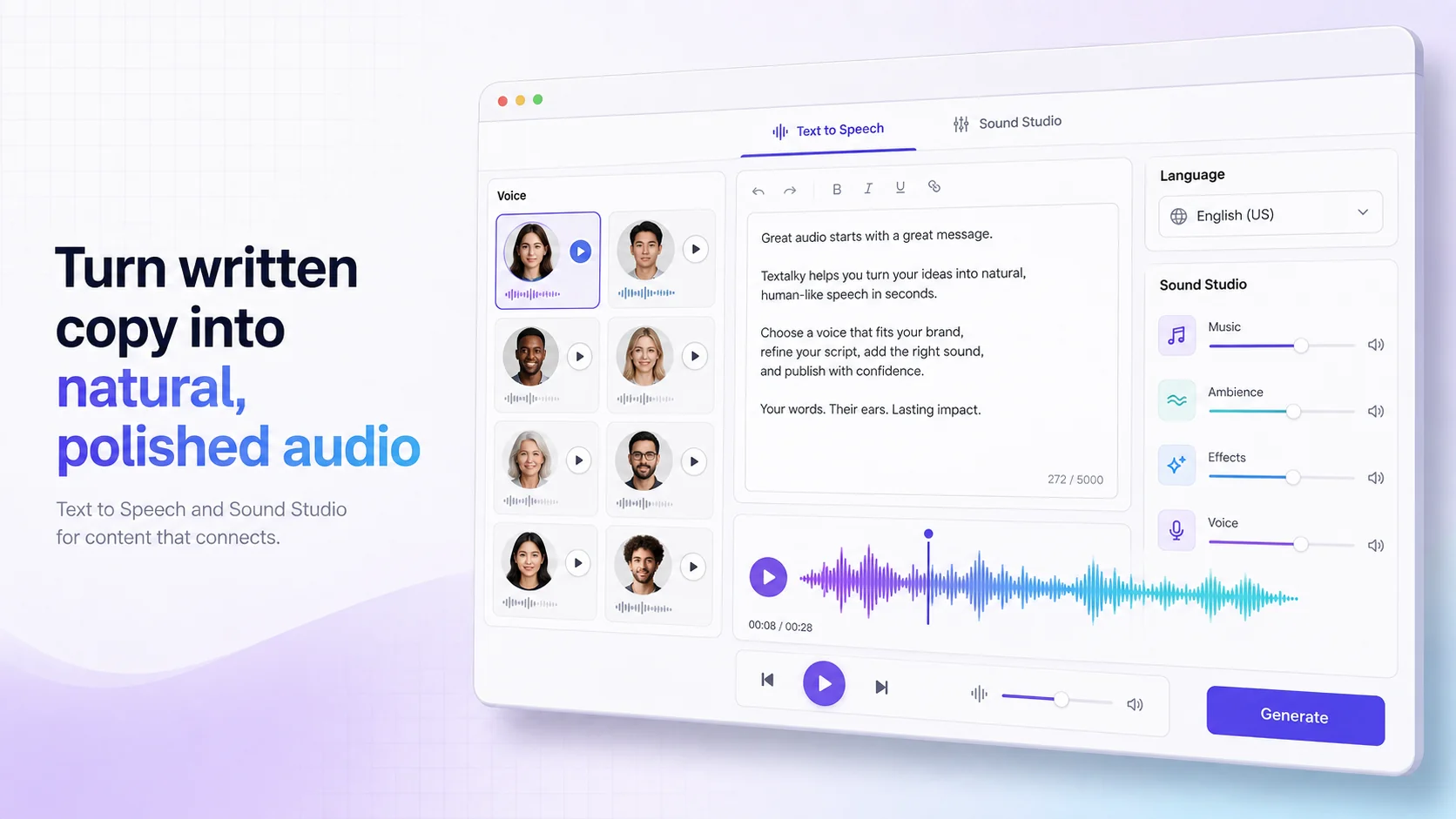
Furthermore, once you have your transcript, you might want to create a voiceover for a summary or an introduction. AI voiceover tools can generate natural-sounding speech from text, allowing you to add narration to your videos or podcasts without needing to record your own voice. Some AI voice tools can even clone your voice, enabling you to generate audio content in your own voice without speaking a word.
This synergy between transcription, audio enhancement, and voice generation means you can move from raw audio to polished, accessible, and professional-sounding content with a single, integrated toolkit. It eliminates the need to juggle multiple, disconnected software applications, each with its own subscription and learning curve.
Choosing the Right AI Transcription Solution
With various AI transcription tools available, selecting the right one involves considering several factors to ensure it aligns with your needs and budget.
- Pricing and Plans: Transcription services come with different pricing structures, often based on usage (per minute or per hour of audio) or tiered subscription plans. Free plans are great for testing or very low-volume needs, offering a limited number of words or minutes per month. Paid plans scale up with increased quotas and advanced features. Understanding your typical audio volume is key to choosing a cost-effective plan. Textalky offers a range of plans, from a free tier to professional options, with details available on Textalky's plans.
- Quotas and Limits: Pay close attention to the monthly limits for transcription minutes, words, and other features like visual credits or voiceover characters. If you produce a high volume of content, ensure your chosen plan accommodates your needs. The AI Free plan, for instance, provides 10 minutes of transcription per month, while higher tiers offer significantly more.
- Ease of Use: The interface should be intuitive. Uploading audio, starting a transcription, editing the results, and exporting them should be straightforward processes. A complex interface will only add to your workload.
- Integration Capabilities: Consider how the transcription tool fits into your existing workflow. Does it integrate with your video editor, your website CMS (like WordPress), or other tools you rely on? Some platforms offer direct integrations, simplifying the process of getting your transcriptions where you need them.
- The All-in-One Advantage: Many creators find themselves subscribing to multiple separate tools for writing, voiceovers, image generation, and transcription. This can become costly and inefficient. An all-in-one AI creative studio consolidates these functionalities into a single platform, often at a more competitive price point and with a more unified user experience. This approach can significantly simplify your tech stack and boost overall productivity.
When comparing your options, it's worth considering platforms that aim to provide a comprehensive suite of AI creative tools. Textalky, for example, offers AI transcription as part of a broader collection of AI features, from writing and voiceovers to image and video generation, all within one interface. This integrated approach can be a powerful way to manage your content creation efficiently.
Frequently asked questions
How accurate is AI speech to text?
Modern AI speech to text technology is highly accurate, often achieving over 90% accuracy for clear audio recordings with a single speaker. Accuracy can be affected by factors such as background noise, accents, multiple overlapping speakers, and specialized jargon. However, even with these challenges, AI transcription provides a strong first draft that can be quickly edited for perfection.
Can AI transcribe multiple speakers in an audio file?
Yes, most advanced AI transcription tools offer speaker identification, often referred to as diarization. This feature attempts to distinguish between different speakers in an audio file and label their corresponding dialogue. While it's not always perfect, especially with many speakers or similar voices, it significantly simplifies the process of understanding and editing multi-speaker transcripts.
What are the best use cases for AI transcription for content creators?
The best use cases for AI transcription for content creators include: generating accurate captions and subtitles for videos, creating detailed show notes and transcripts for podcasts, transcribing interviews for articles and blog posts, repurposing audio content into various text formats, and making e-learning modules more accessible. Essentially, any workflow involving spoken word can be dramatically improved by AI transcription.
Manual transcription is a relic of the past for productive content creators. By embracing AI speech to text, you can reclaim hours of your time, enhance the accessibility and reach of your content, and streamline your entire production pipeline.
Ready to transform your audio workflow? Explore how an integrated AI creative studio can simplify your process.
Sign up for Textalky today and experience the difference.
Ready to try it yourself?
Create a free Textalky account - no credit card required - and put this into practice.
Start creating for free