Clean Up Your Videos: How to Remove Background Noise from Audio
Unwanted background noise in your videos can kill viewer engagement. Discover how to easily remove it using AI-powered audio cleanup tools for professional-sounding results.
7 min read · September 4, 2026
Clean Up Your Videos: How to Remove Background Noise from Audio
Video projects are often undermined by distracting background noise. The hum of an HVAC system, the rumble of traffic, or even ambient chatter can make your audio sound unprofessional and difficult to listen to. This poor audio quality can lead to viewers abandoning your content, diminishing your message's effectiveness and your credibility.
Why Background Noise Ruins Your Video
In today's crowded digital landscape, attention spans are short. Viewers expect polished content, and audio quality is a critical component of that polish. When your video's audio is marred by background noise, several things happen:
- Decreased Viewer Retention: Unpleasant or distracting sounds pull viewers out of the experience. They may simply click away rather than endure bad audio.
- Eroded Credibility: Professional content suggests professionalism. Poor audio quality can make your brand or message seem amateurish, even if the visual content is excellent.
- Muffled Message: Background noise can obscure important dialogue or narration, making it hard for viewers to understand key information. This defeats the purpose of creating the video in the first place.
- Increased Editing Time: Trying to salvage noisy audio with traditional methods can be a time-consuming and often frustrating process.
The Challenge of Traditional Audio Cleanup
Before the advent of advanced AI, cleaning up audio was a painstaking task. Editors often relied on manual adjustments within Digital Audio Workstations (DAWs) or older software with limited noise reduction capabilities. This involved:
- Complex Filters: Applying and fine-tuning various filters like high-pass or low-pass filters to cut out specific frequency ranges associated with noise.
- Manual Editing: Carefully identifying and cutting out or reducing specific noise segments, a process that could take hours for even a short clip.
- Artifacts and Degradation: Over-processing audio with older tools often introduced unwanted artifacts, such as a "metallic" sound or a loss of clarity in the desired audio. The original recording's quality could be significantly degraded in the process.
- Specialized Software Costs: High-quality audio cleanup often required expensive, specialized software that only addressed audio, not the broader creative needs of video production.
Introducing AI for Background Noise Removal
Artificial intelligence has fundamentally changed how we approach audio cleanup. AI-powered tools are designed to intelligently identify and isolate specific sound elements, separating desired audio from unwanted background noise with remarkable accuracy.
The core technology behind these advancements involves machine learning algorithms trained on vast datasets of audio. These models learn to recognize patterns associated with different types of sounds, including speech, music, and various forms of background noise. When you input your audio, the AI can:
- Analyze the Soundscape: It breaks down the audio into its constituent parts.
- Identify Noise Signatures: It recognizes the distinct sonic characteristics of common background noises like hums, hisses, or ambient room tone.
- Isolate Desired Audio: It then effectively "erases" or significantly reduces the identified noise, leaving behind a cleaner version of your original recording.
This AI-driven approach is not only more effective at preserving the quality of your primary audio but also significantly faster and more accessible, even for users without extensive audio engineering experience.
How to Remove Background Noise from Video with Textalky
Textalky's all-in-one AI creative studio simplifies the process of removing background noise from your video audio. Instead of wrestling with complex DAWs or specialized software, you can use the integrated Voice Isolator feature directly within the Textalky platform.
Here’s a step-by-step guide:
- Upload Your Audio: Start by extracting the audio track from your video file or by uploading an existing audio file. You can then upload this audio directly into Textalky's audio processing tools.
- Utilize Voice Isolator: Navigate to the Voice Isolator tool. This feature is specifically designed to separate voice from background noise. Simply select your uploaded audio file and initiate the processing. The AI will analyze the audio, identify the background noise, and generate a cleaner version.
- Review and Download: Once the processing is complete, you can preview the cleaned audio to ensure satisfactory results. If you're happy, download the de-noised audio file. This process is often much quicker than manual editing. For a more in-depth look at this specific feature, you can read our guide on AI Voice Isolator: How to Remove Background Noise from Audio.
- Transcribe Cleaned Audio (Optional): After cleaning your audio, you might want a text version for captions, editing, or repurposing. Textalky's AI Transcribe feature can convert your de-noised audio into accurate text, making your content more accessible.
This integrated workflow means you can clean your audio and then prepare it for your video project all within the same intuitive interface, saving considerable time and effort.
Beyond Noise Isolation: Enhancing Your Audio
Removing background noise is a crucial step, but Textalky offers a suite of tools to further enhance your audio and create a truly professional soundscape for your videos.
- AI Voiceover: If your video requires narration, Textalky’s AI Voiceover feature allows you to generate high-quality voiceovers from text in a wide range of languages and accents. This is perfect for adding explanations, introductions, or any spoken content without needing to record yourself.
- AI Music: To add atmosphere or underscore your visuals, Textalky provides AI Music generation. You can create custom background music tracks tailored to the mood and style of your video, ensuring your audio doesn't just sound clean but also engaging.
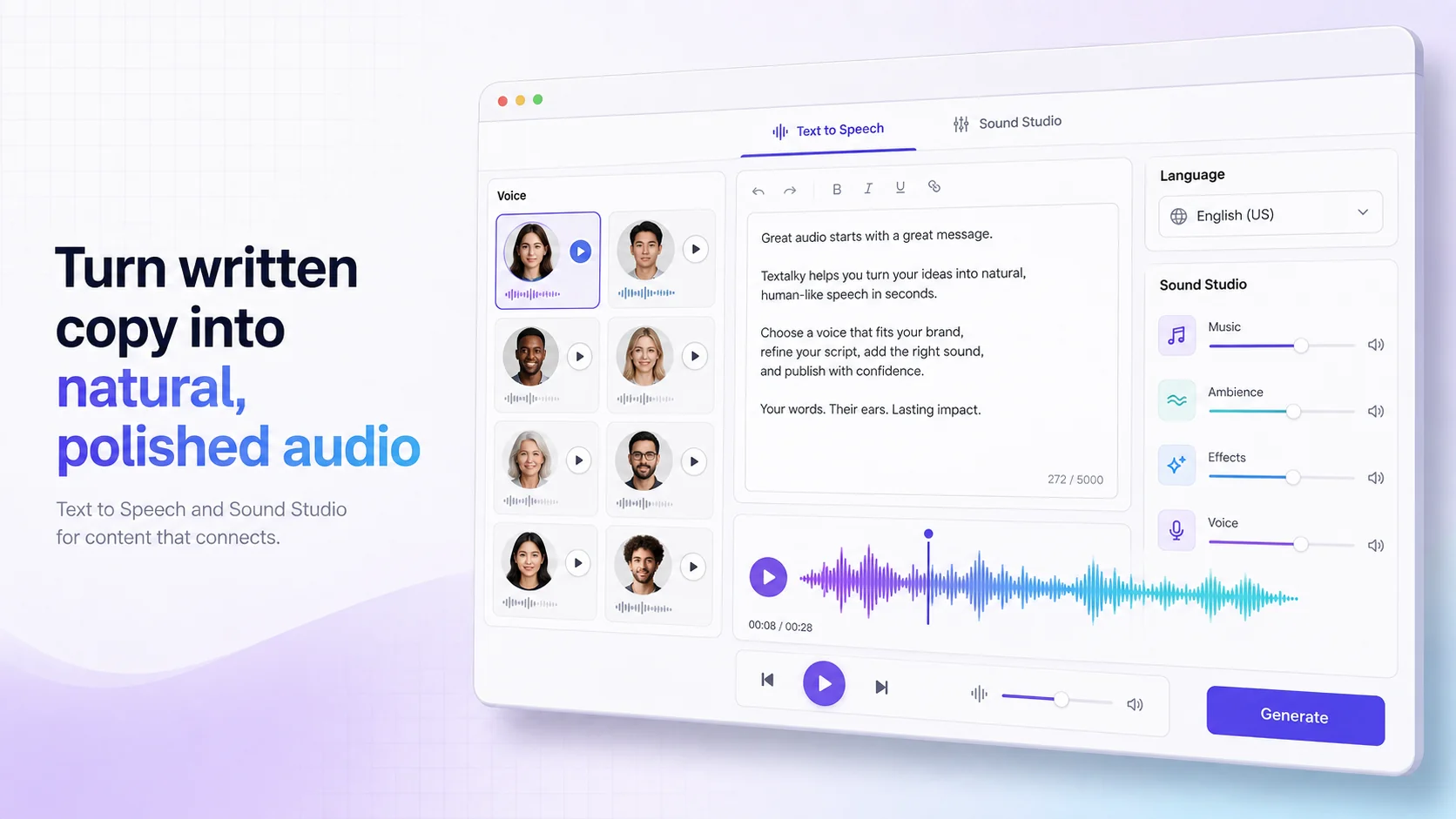
- Sound Studio: For those who need more granular control, Textalky’s Sound Studio offers advanced editing capabilities. You can mix multiple audio tracks, adjust levels, apply effects, and master your final audio to achieve a polished, broadcast-ready sound. This is where you can bring together your cleaned dialogue, AI-generated music, and any other sound elements into a cohesive whole.
By combining these features, you can move from problematic, noisy audio to a fully produced, professional sound design for your video content.
Integrating Clean Audio into Your Video Workflow
Once you have your cleaned audio file, the next step is to bring it back into your video project. This usually involves re-syncing the de-noised audio with your video footage. Most video editing software allows you to easily import your clean audio track and align it with the video timeline.
If you're working on the visual side as well, Textalky also offers powerful AI Video tools. These can help you create and edit video content, making Textalky a comprehensive solution for your entire production pipeline. Imagine cleaning your audio, generating a voiceover, creating background music, and then editing your video all in one place. This unified approach streamlines the entire creative process.
Choosing the Right AI Studio for Your Audio Needs
When it comes to managing your audio quality, you have choices. You could continue to struggle with traditional methods, invest in multiple specialized software subscriptions, or opt for a modern, integrated solution.
Using separate tools for transcription, voiceover, music creation, and audio cleanup means juggling different interfaces, managing multiple subscriptions, and paying for each service individually. This can quickly become expensive and inefficient.
Textalky offers a different path. As an all-in-one AI studio, it consolidates over 20 AI tools, including advanced audio cleanup like the Voice Isolator, into a single subscription. This not only simplifies your workflow but also presents a cost-effective alternative to piecing together multiple, single-purpose tools. With features ranging from AI writing and image generation to voice and video creation, Textalky aims to be your complete creative partner.
For creators looking to access a vast array of AI tools without the complexity of managing multiple subscriptions, Textalky provides significant value. We encourage you to explore the platform and see how it can transform your content creation process.
Frequently asked questions
What is the best way to remove background noise from a video?
The best way to remove background noise from a video is to use AI-powered audio isolation tools. These tools intelligently identify and remove unwanted sounds like traffic, HVAC systems, or ambient chatter, leaving your dialogue or narration clear. Textalky's Voice Isolator feature is an example of such a tool, integrated directly into an all-in-one creative studio.
Can AI tools really remove all background noise from audio?
AI tools are exceptionally good at removing most common types of background noise to a professional standard. They can significantly clean up audio, making dialogue clear and understandable. However, in extremely challenging scenarios with very loud or complex background sounds, some residual noise might remain, or the primary audio might experience slight degradation. For most practical purposes, AI offers a level of cleanup that was previously unattainable without extensive professional audio engineering.
How does Textalky's Voice Isolator work for video audio?
Textalky's Voice Isolator works by analyzing the audio track from your video (or any audio file). It uses AI algorithms, trained on vast datasets, to differentiate between the spoken voice and various forms of background noise. It then processes the audio to reduce or eliminate these unwanted sounds, effectively isolating the voice. You can then download the cleaned audio and re-sync it with your video in your preferred video editor.
Ready to eliminate distracting background noise and elevate your video content? Explore the power of Textalky's integrated AI tools. For a limited time, you can get lifetime access to a comprehensive suite of creative AI features, including advanced audio cleanup, with the AI Lifetime Pro offer for a one-time payment of just $79. This offer provides a robust set of tools designed to streamline your entire creative workflow.
Ready to try it yourself?
Create a free Textalky account - no credit card required - and put this into practice.
Start creating for free