Transform Your Ideas: Master Image to Image AI Generation
Discover the power of image to image AI and learn how to transform your existing visuals into stunning new creations. Textalky's AI studio makes it easy.
11 min read · September 4, 2026
You have existing images, photos, or artwork that you want to change, stylize, or reimagine. Perhaps you have a photograph you wish to render in the style of a famous painter, a sketch you want to see as a polished digital illustration, or a graphic asset that needs several variations for a project. The challenge lies in achieving these specific transformations efficiently and without getting bogged down in complex software or multiple tool subscriptions.
This is where image to image AI generation shines. It’s a powerful technique that moves beyond simply describing what you want to create and instead uses an existing visual as a starting point. This guide will explore what image to image AI is, how it works, its practical applications, and how you can leverage it to bring your creative visions to life.
What is Image to Image AI?
Image to image AI generation is a subset of artificial intelligence that takes an input image and uses it as a foundation to create a new, related image. Unlike standard text-to-image AI, where you provide only a textual description, image to image AI incorporates visual information from your source image. This means the AI doesn’t start from scratch; it interprets the composition, colors, and forms of your original image and then modifies or transforms them based on your instructions.
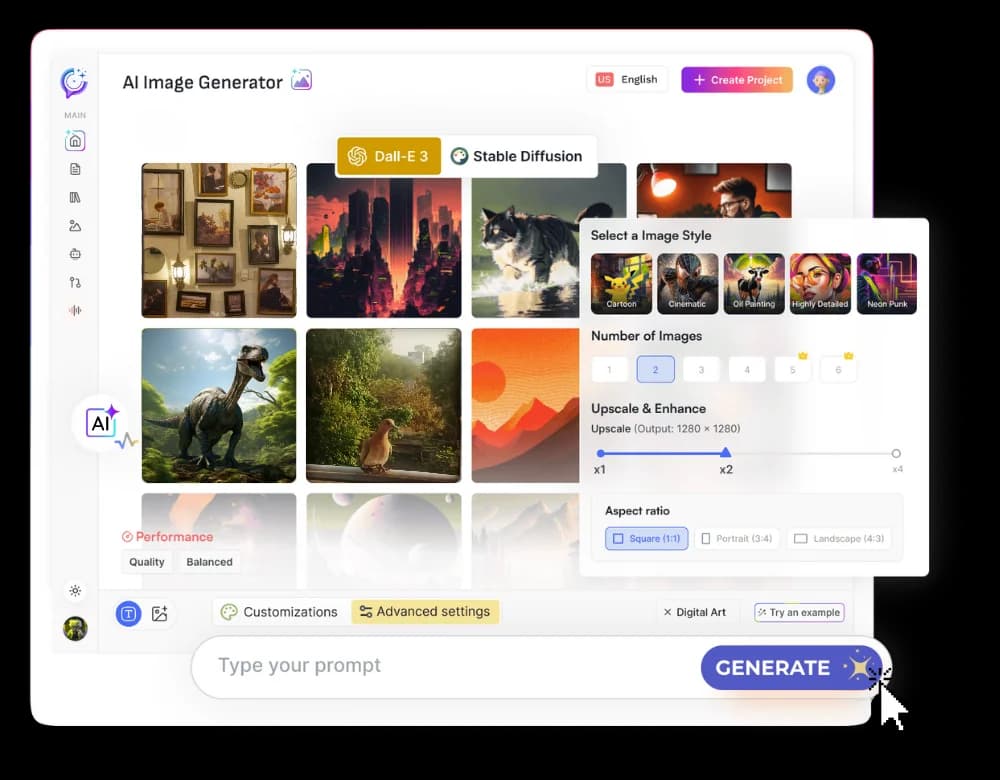
Think of it like giving an artist a reference photo and asking them to repaint it in a different style, or to add specific elements. The reference photo guides their hand, ensuring the new artwork retains a connection to the original. Similarly, image to image AI uses your input image to ensure the output is thematically and compositionally relevant, while still allowing for significant creative freedom. For a deeper dive into AI image generation, you might find this AI Image Generator guide helpful.
How Image to Image AI Works
At its core, image to image AI relies on sophisticated machine learning models trained on vast datasets of images and their associated data. When you provide an input image and a prompt, the AI performs several key steps:
- Image Interpretation: The AI analyzes your input image, breaking it down into its constituent elements. It identifies shapes, colors, textures, lighting, and overall composition. This interpretation is crucial for understanding the visual DNA of the source material.
- Prompt and Style Integration: Your textual prompt or a style reference image is then processed. The AI determines how these instructions relate to its interpretation of the input image. For example, if your input is a photo of a park and your prompt is "turn this into a Van Gogh painting," the AI understands it needs to apply Van Gogh's characteristic brushstrokes, color palette, and energy to the park scene.
- Guided Generation: Using a process often involving diffusion models, the AI begins generating a new image. It starts with a noisy image and gradually refines it, step by step, guided by both the interpretation of your input image and your textual prompt. The goal is to create an output that honors the structure and content of the input while incorporating the stylistic or conceptual changes you've requested.
- Parameter Adjustment: Many tools allow you to adjust parameters that control the influence of the input image versus the prompt. A higher "image influence" setting means the output will more closely resemble the original image's composition, while a lower setting allows the prompt to dictate more significant changes.
This iterative process allows for a high degree of creative control, enabling users to transform their visuals in ways that would be difficult or impossible with traditional editing software alone.
Key Use Cases for Image to Image AI
The versatility of image to image AI opens up a wide range of creative possibilities for artists, designers, and content creators.
- Stylizing Photos: Transform personal photographs into artistic creations. Turn a family portrait into a watercolor painting, a landscape into a sketch, or a product photo into a futuristic render. This is excellent for creating unique profile pictures, social media content, or personalized gifts.
- Concept Art Generation: Quickly iterate on visual ideas. Artists can provide a rough sketch or mood board image and use image to image AI to generate multiple polished concept art variations for characters, environments, or objects, speeding up the ideation process.
- Design Iteration: For graphic designers, image to image AI can help explore different design directions for logos, website elements, or marketing materials. Upload an initial design and prompt for variations in color scheme, layout, or style.
- Asset Variation: Game developers or digital artists can use this to generate multiple versions of a 3D model texture, an icon, or a background element. Providing one asset and prompting for variations ensures consistency while offering diversity.
- Sketch-to-Illustration: Turn rudimentary sketches into detailed illustrations. A simple line drawing can be fed into the AI with a prompt describing the desired style and details, resulting in a fully rendered artwork.
- Background Replacement and Enhancement: While not its primary function, image to image can assist in refining backgrounds. Upload an image with a busy background and prompt for a simpler, stylized, or thematic alternative that complements the main subject.
Getting Started with Image to Image AI
Embarking on your image to image AI journey is more accessible than you might think. Here’s a general step-by-step guide:
- Select Your Input Image: Choose a clear, well-composed image that serves as the foundation for your desired output. The quality and content of your input image will significantly influence the final result.
- Craft Your Prompt: Write a descriptive prompt that clearly articulates the changes you want to make. Be specific about style, mood, colors, and any new elements you wish to introduce. For instance, instead of "make it cool," try "render this cityscape in a cyberpunk style with neon lights and flying vehicles."
- Choose Your AI Tool: Select an AI platform that offers image to image generation capabilities. Look for tools that provide control over parameters like image influence, style strength, and negative prompts.
- Upload and Configure: Upload your chosen input image and enter your prompt into the AI tool.
- Adjust Parameters: Many tools offer sliders or settings to control how much the AI adheres to the original image versus the prompt. Experiment with these settings to find the right balance. For example, a "denoising strength" parameter often controls how much the AI deviates from the input.
- Generate and Iterate: Run the generation process. Review the output. If it’s not quite right, refine your prompt, adjust parameters, or even select a different input image and try again. Don't be afraid to generate multiple variations.
Choosing the Right AI Studio for Image to Image
While many tools offer AI image generation, the real power comes when these capabilities are integrated into a comprehensive creative suite. Relying on multiple, separate subscriptions for writing, image creation, voiceovers, and video editing can become costly and inefficient. An all-in-one AI creative studio streamlines your workflow, allowing you to move seamlessly between different creative tasks without leaving a single interface.
An integrated studio means your image-to-image generation can be directly informed by AI-written descriptions, or the output can be immediately used in AI-generated videos or blog posts. This interconnectedness saves time and fosters a more cohesive creative process. Features like the AI Image tool are often just one part of a larger ecosystem.
When selecting a studio, consider:
- Breadth of Tools: Does it offer image-to-image alongside text-to-image, AI writing, voice generation, and video editing?
- Ease of Use: Is the interface intuitive, even for complex tasks like image-to-image transformations?
- Quality of Output: Does the AI consistently produce high-quality results for both images and other creative assets?
- Integration: How well do the different tools work together?
- Pricing: Is there a plan that fits your needs and budget? Exploring Textalky's all plans and current pricing can provide a clear overview.
Opting for a unified platform like Textalky means you can transform your visuals using its powerful AI Image tool and then immediately pivot to writing a description with the AI Writer or generating a voiceover with AI Voiceover, all within one subscription. For those looking for exceptional value, consider Textalky's AI Lifetime Pro offer, providing lifetime access to the complete studio for a single payment.
Transforming Your Visuals with Textalky
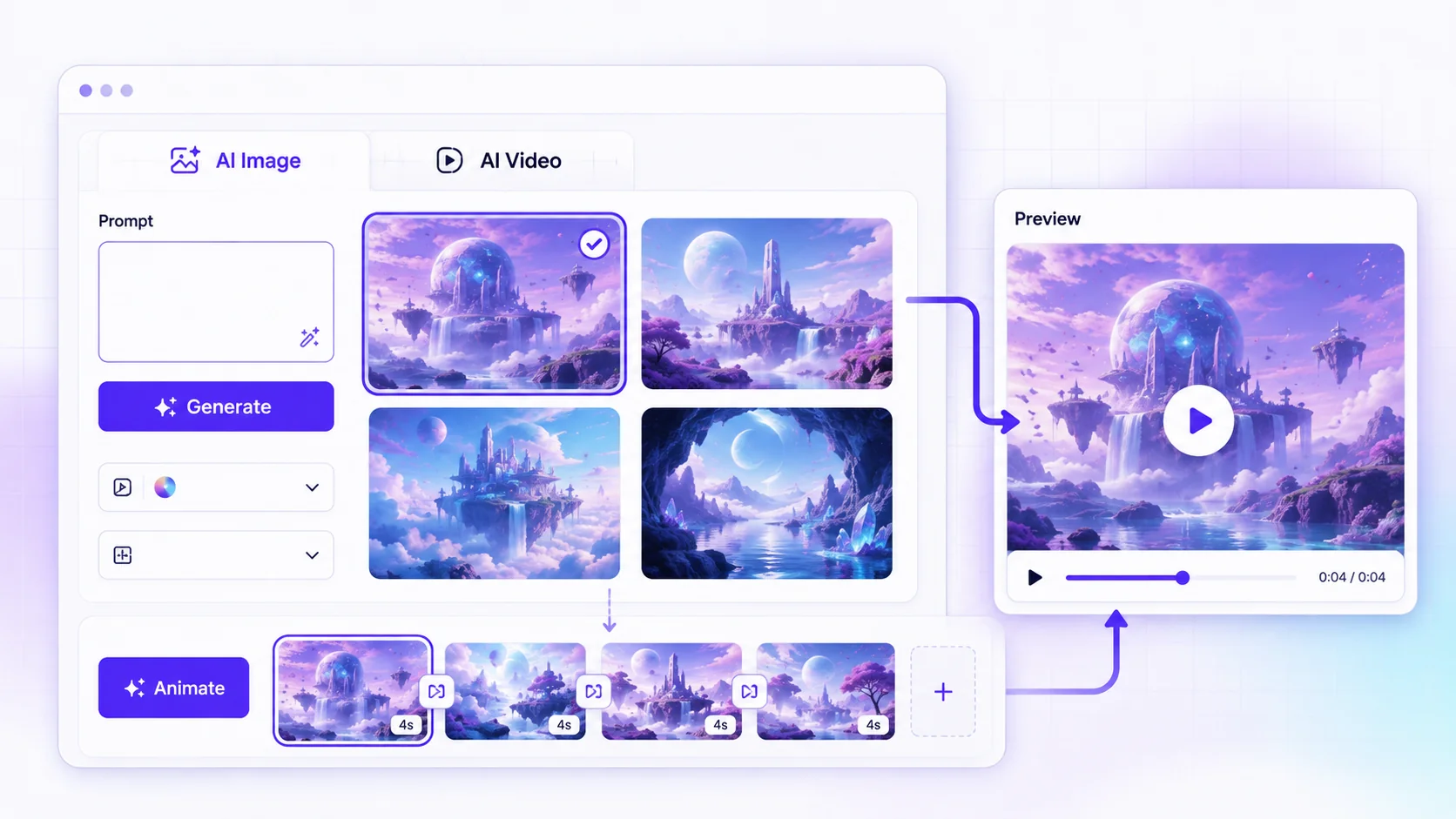
Textalky offers a robust solution for image to image generation as part of its comprehensive AI Visual Creation suite. The platform is designed to be intuitive, allowing creators of all levels to achieve professional results.
Here’s how you can use Textalky for image to image transformations:
- Access the AI Image Tool: Log in to your Textalky account and navigate to the AI Image generation section.
- Select Image to Image Mode: Within the AI Image tool, you'll find options for different generation modes. Choose the image-to-image functionality.
- Upload Your Source Image: Upload the photograph, artwork, or sketch you want to transform.
- Enter Your Prompt: Describe the desired outcome. Be as specific as possible regarding style, modifications, and atmosphere. For example: "Transform this portrait into a vibrant oil painting with impasto brushstrokes."
- Adjust Settings: Textalky provides controls to fine-tune the generation process. You can adjust parameters like the influence of the original image versus the prompt, the level of detail, and stylistic strength. Experimentation is key here to achieve your desired balance.
- Generate and Refine: Click generate and review the results. Textalky allows for quick iteration; if the first output isn't perfect, you can tweak your prompt or settings and generate again. You can also explore different styles and variations from a single input.
The beauty of using Textalky lies in its all-in-one nature. Once you've perfected your image, you can seamlessly transition to other tools within the studio. Need to write a compelling description for your transformed image on social media? Use the AI Writer. Want to create a voiceover for a video featuring your new artwork? The AI Voiceover tool is readily available. This integrated workflow significantly enhances productivity and creative exploration.
Tips for Achieving Stunning Results
Mastering image to image AI generation involves more than just uploading an image and hoping for the best. A few strategic approaches can elevate your outputs:
- Master Prompt Engineering: Your prompt is your primary instruction. Use descriptive language, specify artistic styles (e.g., "Art Nouveau," "vaporwave," "low poly"), mention lighting conditions ("golden hour," "cinematic lighting"), and detail desired moods ("serene," "chaotic," "mysterious"). Include negative prompts to exclude elements you don't want.
- Understand Image Influence: Pay close attention to the parameters that control how much the AI adheres to your input image. If you want a drastic transformation, lower the image influence. If you want subtle stylistic changes while preserving the original composition, increase it.
- Iterate and Experiment: Rarely will the first generation be perfect. Generate multiple variations. Tweak your prompt slightly, adjust parameters, or try a different seed number. Each generation is a learning opportunity.
- Combine with Other AI Features: Don't limit yourself to just image generation. Use the AI Writer to brainstorm prompts or generate descriptions for your images. If you're creating visual content for a video, use the AI Voiceover tool to add narration. The synergy between different AI tools can produce truly unique results.
- Use High-Quality Input Images: A clear, well-lit, and focused input image will generally yield better results than a blurry or low-resolution one. The AI can interpret more detail from a higher-quality source.
- Be Specific About Style: If you want a particular artistic style, name it explicitly. Mentioning artists, art movements, or specific aesthetic terms can guide the AI more effectively than vague descriptors.
By understanding these tips and leveraging the power of an integrated AI studio, you can push the boundaries of your creativity and transform any visual idea into reality.
Frequently Asked Questions
What is the difference between text to image AI and image to image AI?
The primary difference lies in the input. Text-to-image AI generates visuals based solely on your textual description. Image-to-image AI, on the other hand, uses an existing image as a foundational element, interpreting its composition and style to guide the generation of a new, related image, often in conjunction with a text prompt.
Can I use my own photos as input for image to image AI?
Yes, absolutely. Using your own photos is one of the most common and powerful applications of image to image AI. Whether it's a personal photograph, a piece of artwork, a sketch, or a graphic design element, you can upload it as your source image to transform.
How can image to image AI help with concept art or design iteration?
Image to image AI significantly speeds up concept art and design iteration. Artists can upload a rough sketch or a basic design element and use prompts to explore numerous stylistic variations, color palettes, and compositional changes rapidly. This allows for quick exploration of different creative directions without the manual effort of redrawing each iteration from scratch, leading to more diverse and refined final concepts.
Conclusion
Transforming existing images into entirely new creations is no longer a niche skill reserved for digital art experts. With the power of image to image AI, you can reimagine your photos, sketches, and designs with unprecedented ease and creative control. Whether you aim to stylize a photograph, iterate on a design concept, or bring a rough sketch to life, this technology offers a direct path to stunning visual outcomes.
By understanding how image to image AI works and how to effectively guide it with prompts and parameters, you can unlock a new dimension of visual creativity. An integrated AI creative studio, like Textalky, further amplifies this potential by bringing all your creative tools together in one place. This streamlined workflow allows you to move effortlessly from visual transformation to written content or audio narration, enhancing both efficiency and the quality of your projects.
For those ready to explore the full capabilities of AI-powered visual creation and embrace a unified creative workflow, Textalky offers exceptional value. Consider taking advantage of the current AI Lifetime Pro deal for a one-time payment that grants you lifetime access to the complete studio, including its advanced image-to-image generation features and much more. This offer provides an unparalleled opportunity to equip yourself with a comprehensive suite of AI creative tools.
Ready to try it yourself?
Create a free Textalky account - no credit card required - and put this into practice.
Start creating for free