Turn Text into Engaging Videos: Your Complete Guide
Learn how to transform written content into dynamic videos using AI. This guide covers the process, essential tools, and benefits for creating engaging video content.
10 min read · September 4, 2026
Video content dominates the digital landscape. From social media feeds to educational platforms, video grabs attention and communicates messages more effectively than static text or images alone. Yet, the process of creating compelling videos can feel daunting. Many creators, marketers, and educators face challenges: high production costs, the steep learning curve of complex editing software, and the sheer time commitment required. This is where the power of AI-driven text-to-video generation emerges as a solution, democratizing video creation and making it accessible to everyone.
Why Text to Video is Essential for Modern Content
The demand for video content continues to surge. Viewers engage more deeply with video, leading to higher retention rates, better conversion rates, and improved brand recall. For businesses, video can explain complex products, showcase customer testimonials, and build a stronger connection with their audience. Educators can use video to create dynamic lessons, tutorials, and explainer content that caters to diverse learning styles.
However, traditional video production often involves significant hurdles. Hiring professional videographers and editors can be prohibitively expensive for small businesses and individual creators. Learning professional editing software like Adobe Premiere Pro or Final Cut Pro requires a substantial investment of time and effort. Even simpler tools can demand a considerable learning curve, and the iterative process of filming, editing, and re-shooting can be incredibly time-consuming.
Fortunately, advancements in artificial intelligence are transforming this landscape. AI-powered tools can now take your written content - a blog post, a script, an article - and automatically generate a video. This capability offers faster, more affordable, and more accessible video production. Explore the potential of AI video generation to transform your content strategy.
The AI Text to Video Workflow Explained
At its core, AI text-to-video generation simplifies the entire video creation process into a few manageable steps. Instead of wrestling with cameras and editing timelines, you start with the words.
- Provide Your Text: This can be anything from a short social media caption to a full-length script or article. The AI uses this text as the foundation for your video.
- AI Analysis and Scene Generation: The AI analyzes your text to understand the context, tone, and key messages. Based on this analysis, it breaks down the content into logical segments and suggests corresponding visuals. This might involve selecting relevant stock footage, generating custom images, or even creating animated scenes.
- Voiceover Creation: Many AI text-to-video tools can generate a professional-sounding voiceover from your script. You can often choose from a variety of voices, accents, and languages to match your brand or narrative.
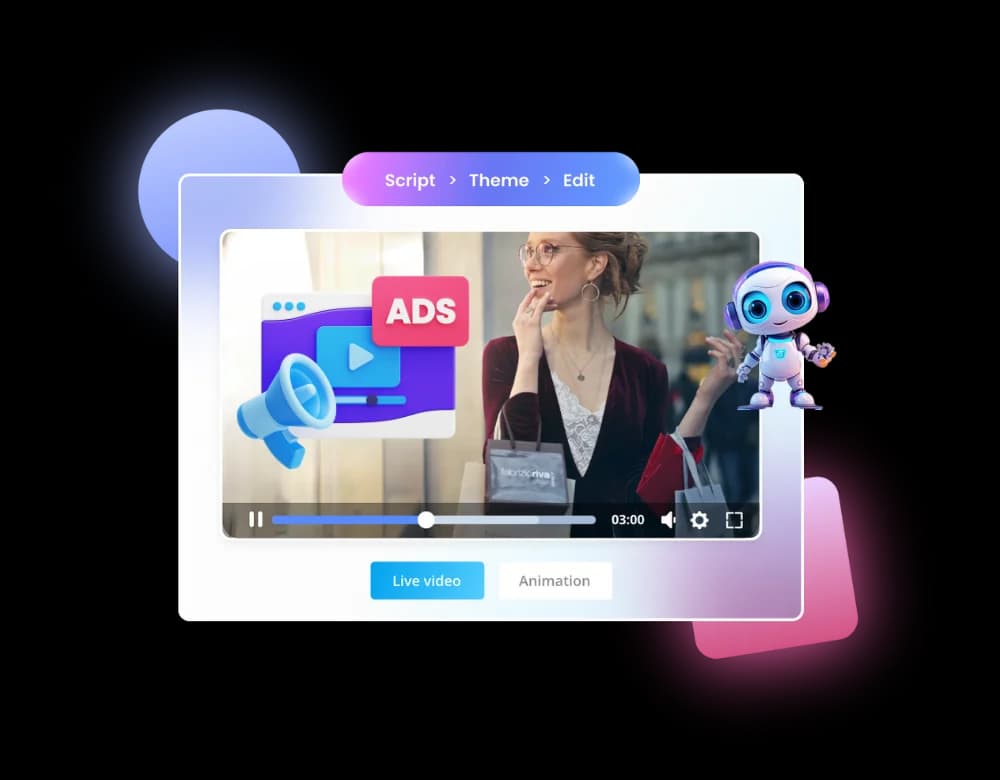
- Visual Assembly: The AI then assembles these elements, syncing the voiceover with the generated or selected visuals. It creates scenes, transitions, and pacing that align with your text. Advanced AI video generation capabilities can even animate static images or create entirely new visual sequences.
- Review and Refine: While AI does the heavy lifting, you retain creative control. You can review the generated video, make edits, swap out visuals, adjust the voiceover, or refine the pacing. This iterative process allows you to fine-tune the output until it perfectly matches your vision.
- Export and Share: Once you’re satisfied, you can export your video in various formats and share it across your chosen platforms.
This streamlined workflow means you can go from a written idea to a polished video in a fraction of the time it would take with traditional methods.
Key AI Tools for Text to Video Creation
Creating engaging videos from text requires more than just a single AI function. A robust text-to-video solution typically integrates several AI capabilities to handle different aspects of production.
- AI Writing Tools: The journey begins with compelling text. AI writers can help you craft scripts, generate article outlines, or refine existing content to be more engaging and video-friendly. An effective AI writing editor can help ensure your message is clear and concise, forming a strong foundation for your video.
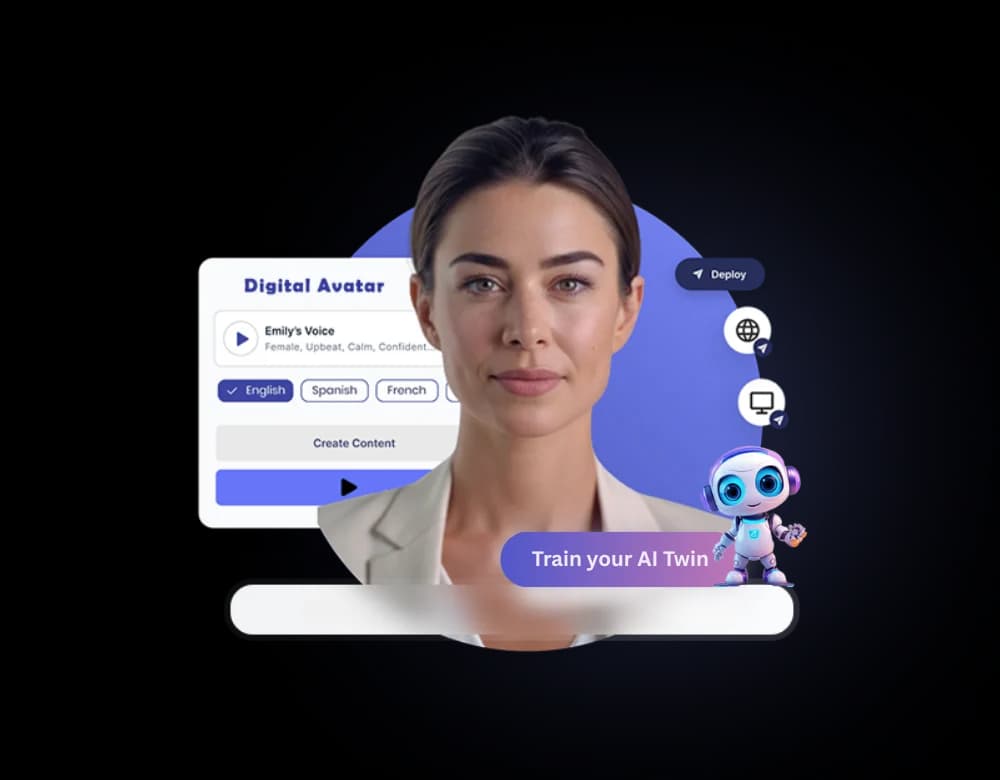
- AI Voiceover (Text-to-Speech): A high-quality voiceover is crucial for conveying your message. AI voice generators can convert your script into natural-sounding audio in numerous languages and accents. These tools go beyond robotic narration, offering expressive tones and customizable delivery. Access to a diverse range of voices, like those available through AI voiceover technology, allows you to find the perfect match for your brand identity.
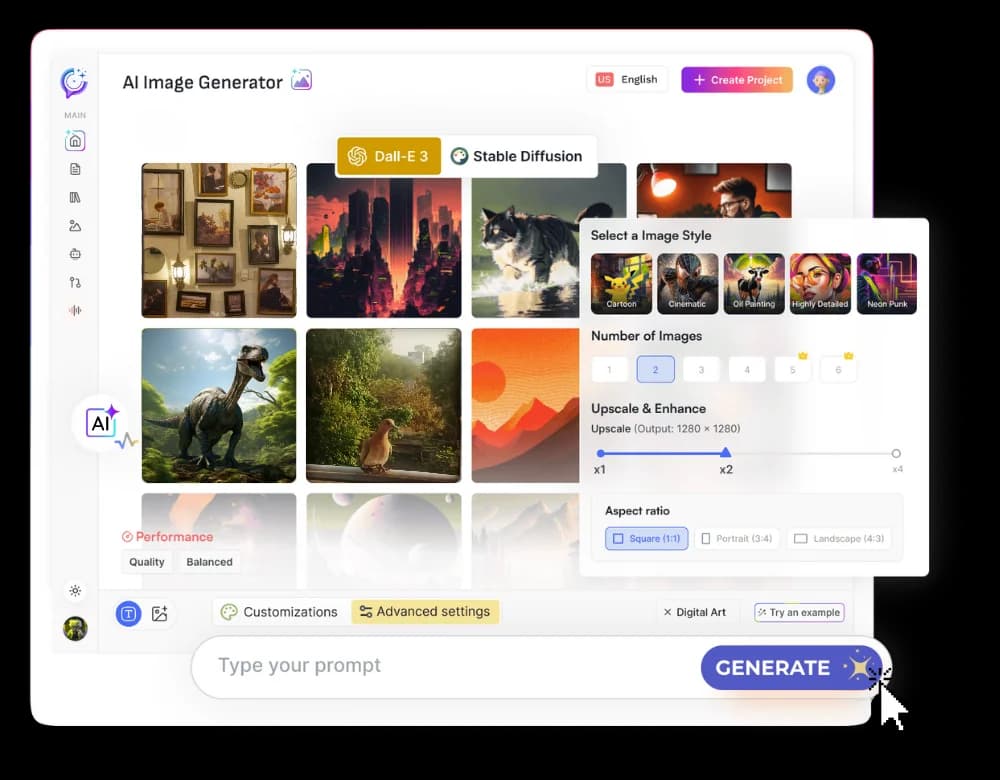
- AI Visual Generation: This is where your text truly comes to life. AI visual tools can create images from text prompts, generate video clips, animate existing photos, or even produce realistic avatars to present your content. These capabilities mean you don't need to rely solely on stock footage; you can create unique visuals that perfectly represent your message.
- AI Transcription and Editing: If you're repurposing existing audio or video content, AI transcription services can convert speech to text, which can then be used as a script for a new video. AI editing tools can also help refine video segments, remove background noise, or even isolate specific sounds.
- AI Music Generation: Background music significantly impacts a video's mood and engagement. AI music generators can create custom soundtracks tailored to the tone and pace of your video, adding a professional polish.
When these tools are integrated into a single platform, they work together harmoniously, creating a seamless and efficient content creation pipeline.
Choosing the Right Platform: All-in-One vs. Separate Tools
The market offers a wide array of AI tools, and it’s tempting to piece together a workflow by subscribing to individual services for writing, voiceovers, and video generation. However, this approach often leads to inefficiencies and added costs.
Using multiple separate tools means:
- Higher Costs: Each subscription adds up. You might pay for a writing tool, a separate voiceover service, an image generator, and a video editor. These individual monthly fees can quickly exceed the cost of a comprehensive solution.
- Workflow Disruption: Transferring content between different platforms can be cumbersome. You might need to export text from one tool, import it into another, then download generated assets to combine them in a third. This back-and-forth wastes valuable time.
- Inconsistent Output: Different AI models and platforms may have varying styles and quality levels, leading to a disjointed final product.
- Steeper Learning Curve: You need to learn how to use multiple interfaces, each with its own unique features and quirks.
An all-in-one AI studio offers a compelling alternative. By housing all essential AI creative tools - writing, voiceover, image and video generation, sound design, and more - within a single interface, it provides:
- Cost Savings: One subscription replaces many. This consolidates your expenses and often provides more features for less overall cost.
- Streamlined Workflow: Content flows seamlessly between tools. Generate a script, create a voiceover, design visuals, and assemble your video all within the same environment.
- Consistent Quality: A unified platform often uses integrated AI models, ensuring a consistent style and quality across all your creative outputs.
- Ease of Use: A single, intuitive interface simplifies the entire process, making it accessible even for beginners.
For creators and businesses looking to maximize efficiency and minimize complexity, an integrated AI studio is the clear path forward.
Making Your Videos Shine: Tips for Engaging Output
While AI can automate much of the video creation process, a few strategic touches can elevate your AI-generated videos from good to exceptional.
- Select the Right Voice: The voiceover is the narrator of your story. Choose a voice that aligns with your brand’s personality and the message you want to convey. Textalky offers over 50 studio-grade voices in 150+ languages and accents, allowing for precise characterization. Consider a warm, friendly tone for educational content or a more authoritative voice for corporate messaging.
- Curate Your Visuals Wisely: Even with AI generating images and video clips, thoughtful selection is key. Ensure the visuals directly support the spoken narrative. If using AI-generated images, prompt the AI for specific scenes or elements that match your script. If using stock media, ensure it feels authentic and not overly generic.
- Pacing Matters: The rhythm of your video keeps viewers engaged. Pay attention to how quickly the AI transitions between scenes or how long visuals are displayed. Adjustments can be made to ensure the pacing matches the energy of your content. A faster pace might suit a social media ad, while a more deliberate pace could be better for a documentary-style explainer.
- Add Subtitles: Many viewers watch videos with the sound off, especially on social media. Adding subtitles ensures your message is accessible to everyone, regardless of their viewing environment. Most AI video platforms can automatically generate or assist with subtitle creation.
- Brand Consistency: Incorporate your brand’s colors, logos, and fonts into the video. This reinforces brand identity and makes your content instantly recognizable. Many AI studios allow for custom branding elements.
- Keep it Concise: Especially for online content, shorter videos tend to perform better. AI tools can help you distill your message into a compelling narrative without unnecessary fluff. Focus on delivering value quickly.
By combining the power of AI with these creative best practices, you can produce videos that not only look professional but also deeply resonate with your audience.
Pricing and Access: Getting Started with AI Video
The accessibility of AI video generation has dramatically lowered the barrier to entry. Gone are the days when creating video required significant upfront investment in equipment and software. Today, powerful AI tools are available at various price points, making them attainable for individuals, small businesses, and large enterprises alike.
Textalky offers a range of plans designed to fit different needs and budgets. The AI Free plan provides a great starting point, offering limited access to tools and features to help you explore the capabilities. For those needing more power, the AI Basic plan is $6 per month, with higher tiers like AI Explorer ($12 per month) and AI Plus ($29 per month) offering increased word counts, character limits, visual credits, and access to more advanced tools like AI Avatars and WP Integration. The AI Pro plan is $79 per month and is designed for power users with extensive needs, including custom AI models and API access.
These monthly or annual subscriptions offer a predictable way to access a comprehensive suite of AI tools. However, for those seeking the ultimate value and a one-time purchase option, Textalky currently features an exceptional AI Lifetime Pro, lifetime access for $79 once. This offer provides a substantial monthly allowance of words, characters, and media credits, along with access to every tool in the studio - from AI writing and voiceover to image and video generation, and even WordPress integration. It’s a significant opportunity to gain full access to an all-in-one AI creative studio without recurring fees. For full details on what this offer includes and its terms, please visit the AI Lifetime Pro deal page. This limited-time promotion is an ideal way for creators and businesses to invest in their video production capabilities long-term.
Frequently asked questions
How does text to video AI work?
AI text to video works by analyzing your written input, such as a script or article. It then uses this analysis to generate corresponding visuals - either by selecting relevant stock media, creating new images or video clips from text prompts, or animating existing assets. Simultaneously, it can generate a voiceover from your text and assemble all these elements into a cohesive video, complete with pacing and transitions.
What are the benefits of using AI for text to video creation?
The primary benefits include speed and affordability. AI dramatically reduces the time and cost associated with traditional video production. It also lowers the technical barrier, allowing individuals without video editing experience to create professional-looking content. Furthermore, AI tools can generate a wide variety of creative assets, offering more options and consistency than manual methods.
Can I use AI to create videos for social media?
Absolutely. AI-generated videos are perfectly suited for social media platforms. You can create short, engaging clips for platforms like TikTok, Instagram Reels, Facebook, and X (formerly Twitter). The ability to quickly produce content tailored to these formats, often with specific aspect ratios and attention-grabbing visuals, makes AI a powerful tool for social media marketers.
What kind of text can I convert into video?
You can convert virtually any type of written content into video. This includes blog posts, articles, scripts for explainer videos or advertisements, presentations, educational materials, social media captions, and even simple paragraphs of text. The AI will break down the content and create a visual narrative around it.
Is AI video generation expensive?
The cost of AI video generation varies, but it is generally far more affordable than traditional video production. Many platforms offer free plans or low-cost subscriptions that provide access to essential tools. For example, Textalky offers plans starting at just $6 per month, with a highly valuable lifetime access deal available for a one-time payment of $79. This makes professional video creation accessible to a wide range of budgets.
The demand for engaging video content is undeniable, and AI is making its creation more accessible than ever. By understanding the workflow, leveraging the right AI tools, and choosing an integrated platform, you can transform your written ideas into compelling video narratives efficiently and affordably.
Ready to start creating? Explore the capabilities of an all-in-one AI studio like Textalky. Consider the remarkable AI Lifetime Pro, lifetime access for $79 once offer to gain access to every tool and feature for a single, one-time payment. It’s an opportunity to elevate your content creation without ongoing subscription costs.
Ready to try it yourself?
Create a free Textalky account - no credit card required - and put this into practice.
Start creating for free